Education Series
Setting Up
Lesson 3 of 5
Lesson 3
Setting Up Your Cash Accounts
Video
Infographics
Lesson Text
What This Lesson Covers
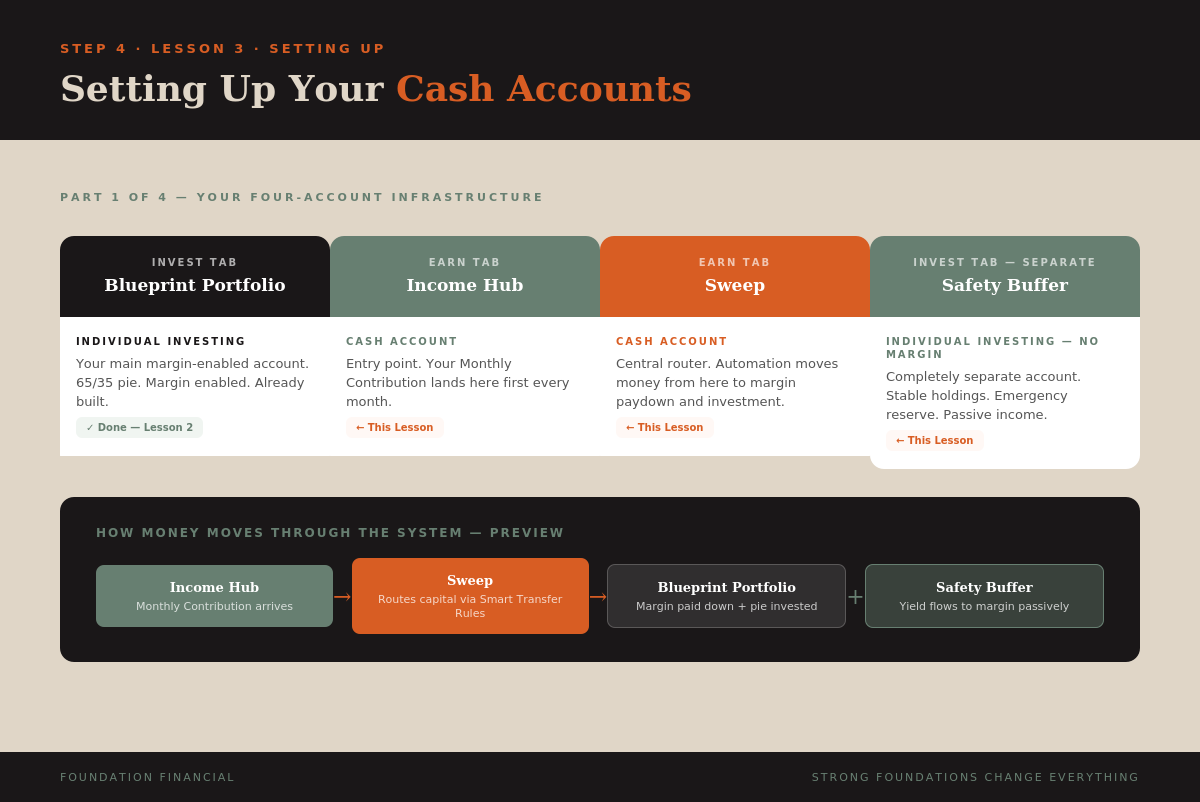
Your Blueprint Portfolio is built. Now you need the accounts that make the money move. This lesson covers opening your two cash accounts under the Earn tab — Income Hub and Sweep — and opening your Safety Buffer as a completely separate investment account.
Do not start this lesson until your Blueprint Portfolio account from Lesson 2 is fully confirmed.
Read This First — Processing Time
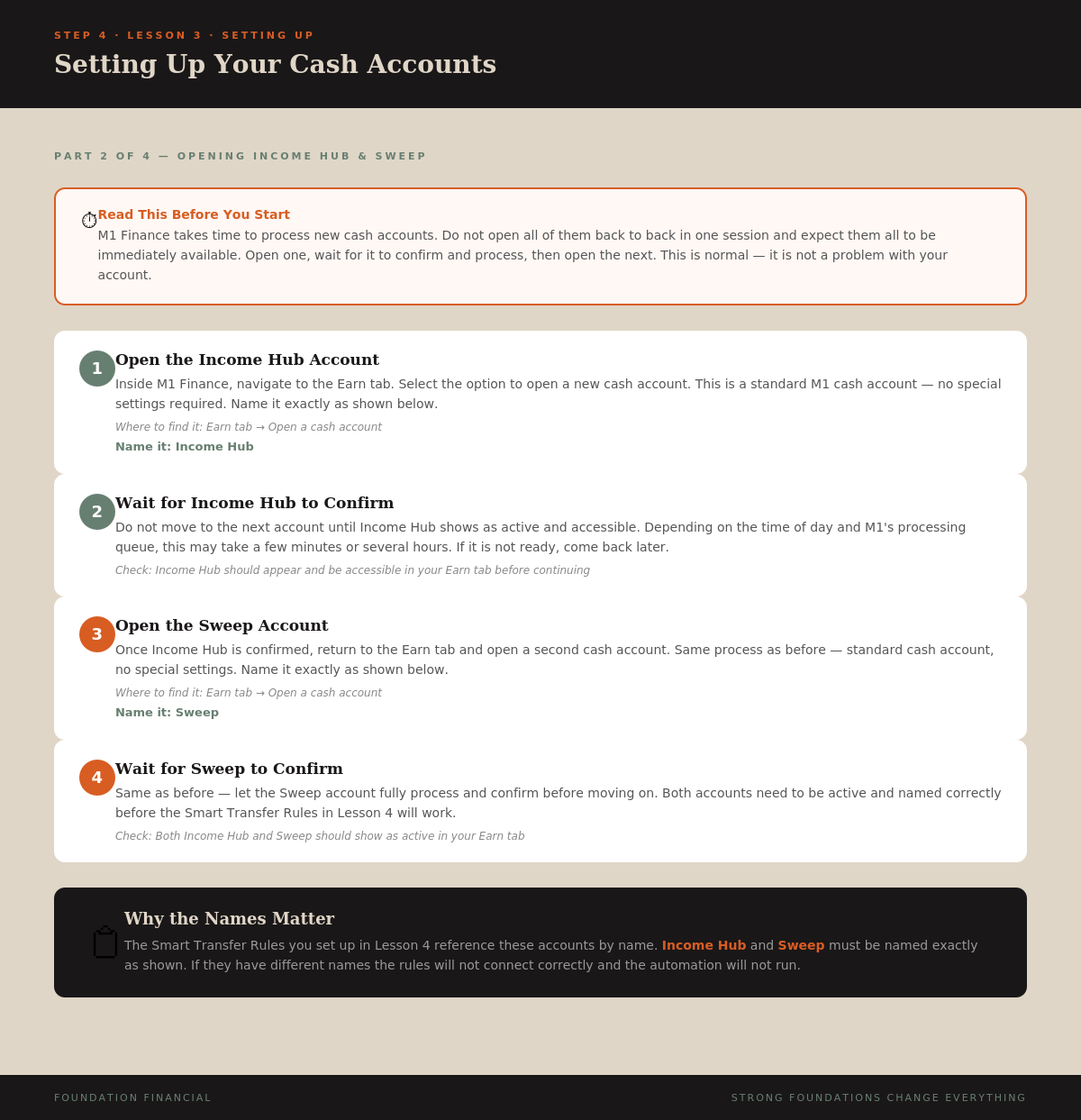
M1 Finance takes time to process new cash accounts. Do not open all of them in one session and expect them to be immediately available.
Open one account, wait for it to confirm and show as active, then open the next. This is normal — it is not a problem with your account. If an account is not showing up after opening it, wait a few hours or until the next business day before trying again.
Step 1: Open the Income Hub
Inside M1 Finance, navigate to the Earn tab. Select the option to open a new cash account. This is a standard cash account — no special settings required.
Name it: Income Hub
The Income Hub is your entry point. Every Monthly Contribution you make flows into this account first before the system routes it onward.
Wait for Income Hub to show as confirmed and active before continuing.
Step 2: Open the Sweep Account
Once Income Hub is confirmed, return to the Earn tab and open a second cash account. Same process — standard cash account, no special settings.
Name it: Sweep
The Sweep is your central router. Automation moves money from here to the right destination — paying down margin, investing into the Blueprint Portfolio pie, or holding until your Money Date.
Wait for Sweep to confirm before continuing.
The names matter. The Smart Transfer Rules in Lesson 4 reference these accounts by name. Income Hub and Sweep must be named exactly as shown or the automation will not connect correctly.
Step 3: Open the Safety Buffer
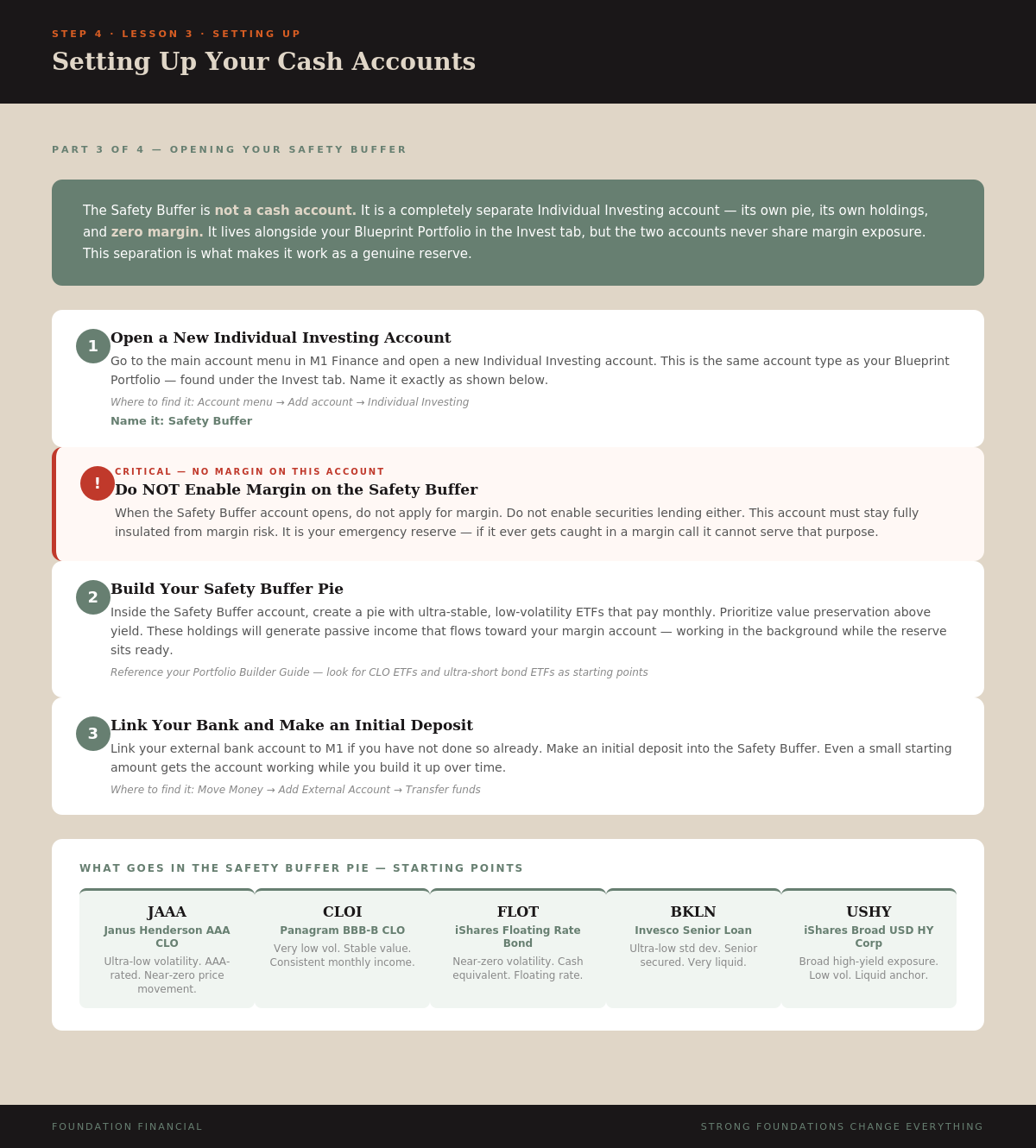
The Safety Buffer is not a cash account. It is a completely separate Individual Investing account — its own pie, its own holdings, and zero margin.
Go to the main account menu in M1 Finance and open a new Individual Investing account.
Name it: Safety Buffer
When the account opens, do not apply for margin. Do not enable securities lending. This account must stay fully insulated from margin risk. It is your emergency reserve — if it ever has margin exposure it cannot serve that purpose.
Step 4: Build the Safety Buffer Pie
Inside the Safety Buffer account, create a pie with ultra-stable, low-volatility ETFs that pay monthly. Value preservation is the priority here — not yield.
Good starting points from your Portfolio Builder Guide: JAAA, CLOI, FLOT, BKLN, or USHY. These are ultra-low-volatility monthly payers that maintain stable value while generating passive income.
The yield this account generates will flow toward your margin account passively — working in the background every month while the reserve sits ready for emergencies.
Step 5: Link Your Bank and Fund the Safety Buffer
If you have not already linked your external bank account to M1, do it now under Move Money → Add External Account.
Make an initial deposit into the Safety Buffer. Even a small starting amount gets the account working. Build it up over time toward your target reserve size.
Your Full Account Checklist
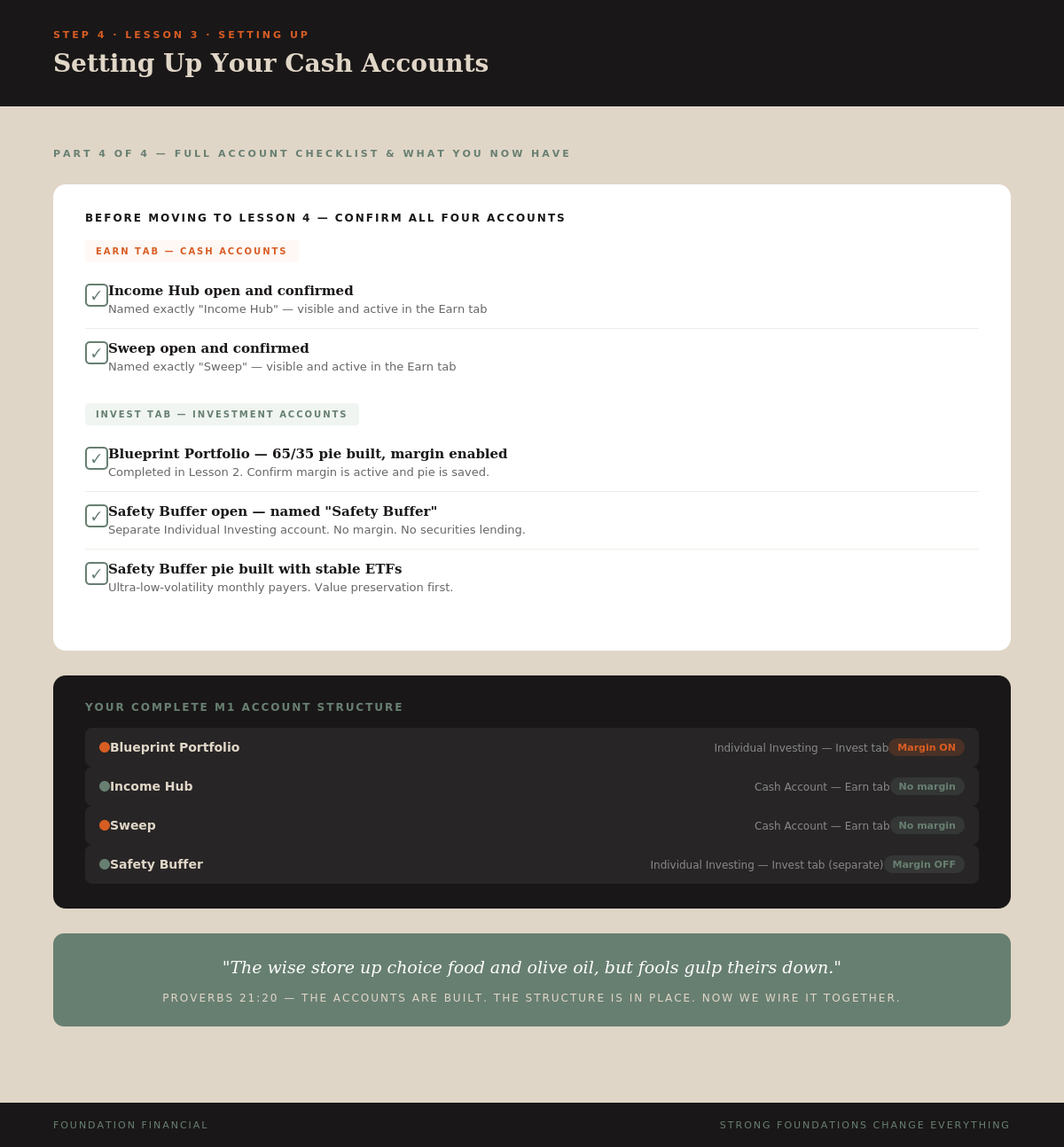
Do not move to Lesson 4 until every account below is confirmed:
- Income Hub — open, active, named correctly in Earn tab
- Sweep — open, active, named correctly in Earn tab
- Blueprint Portfolio — 65/35 pie built, margin enabled (Lesson 2)
- Safety Buffer — separate Individual Investing account, no margin, pie built
Your Complete M1 Structure
Blueprint Portfolio → Individual Investing — Margin ON
Income Hub → Cash Account — Earn tab
Sweep → Cash Account — Earn tab
Safety Buffer → Individual Investing — separate account — Margin OFF
These four accounts are the infrastructure of The Blueprint. Lesson 4 is where you wire them together with the Smart Transfer Rules.
Key Takeaway
Your Blueprint system runs on four M1 accounts: the Blueprint Portfolio (margin on), Income Hub and Sweep (cash accounts in the Earn tab), and Safety Buffer (separate investing account, margin off). Open them one at a time, wait for confirmation, name them exactly as shown. Lesson 4 wires them together.